· Platform Engineering · 6 min read
GitHub Safe Settings: Repository Policy as Code Without the Overhead
Every repo in your org has branch protections, right? Safe Settings is the GitHub App that makes that actually true — enforcing consistent repository configuration across hundreds of repos from a single YAML file, with no Terraform, no scripts, and no manual clicking.
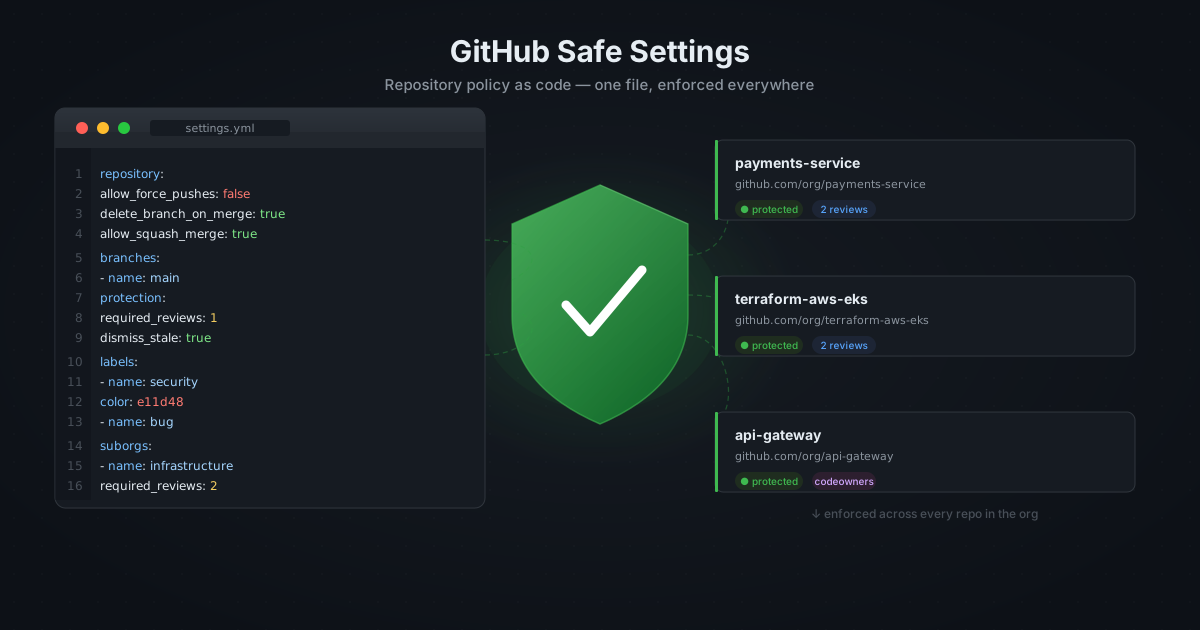
Ask any platform engineer whether their organisation’s GitHub repositories have branch protections enabled, required reviews, and signed commits enforced. They will say yes. Then ask them to prove it for every repo in the org. That is usually where the conversation gets quiet.
Manual repository configuration does not scale. Someone creates a new repo, skips the protection rules because they are in a hurry, and six months later a direct push to main causes an incident. Or worse, it does not cause an incident and nobody notices.
Safe Settings is a GitHub App built by GitHub’s own platform team that solves this by treating repository configuration as code. You define your settings once in a central .github repository, and the app enforces them across every repo in your org — continuously, not just at creation time.
How It Works
Safe Settings runs as a GitHub App in your organisation. When installed, it watches for changes to a settings.yml file in a dedicated .github repository and applies those settings to the repos in scope.
The enforcement model matters: Safe Settings does not just set configuration at repo creation. It runs on a schedule and on pushes to the config repo, meaning if someone manually changes a branch protection rule, Safe Settings will revert it on the next sync. Configuration drift becomes impossible to maintain.
Setting Up Safe Settings
Step 1 — Deploy the App
Safe Settings is self-hosted. The recommended deployment is a simple Node.js process, which runs well as a Kubernetes deployment or a serverless function.
git clone https://github.com/github/safe-settings
cd safe-settings
npm install
Create a GitHub App in your organisation under Settings → Developer settings → GitHub Apps. The app needs these permissions:
| Permission | Level |
|---|---|
| Repository administration | Write |
| Checks | Write |
| Contents | Read |
| Issues | Write |
| Pull requests | Write |
| Single file | Read (/.github/settings.yml) |
Subscribe to these events: push, repository, pull_request.
Set the webhook URL to wherever you are hosting Safe Settings (e.g. https://safe-settings.internal.your-org.com/).
Download the private key, note the App ID, and set these environment variables:
APP_ID=<your-app-id>
PRIVATE_KEY=<contents-of-pem-file>
WEBHOOK_SECRET=<your-webhook-secret>
Step 2 — Create the Config Repository
Create a repository named .github in your organisation (if it does not already exist). This is GitHub’s magic org-level repo — anything in .github/ here applies org-wide.
Inside it, create settings.yml. This file defines the baseline that applies to every repository unless overridden.
Step 3 — Define Your Baseline
A production-ready baseline covers four areas: repository defaults, branch protections, labels, and collaborator access.
# .github/settings.yml

repository:
  # Sensible defaults for all repos
  has_issues: true
  has_projects: false
  has_wiki: false
  allow_squash_merge: true
  allow_merge_commit: false
  allow_rebase_merge: false
  delete_branch_on_merge: true
  enable_automated_security_fixes: true
  enable_vulnerability_alerts: true

branches:
  - name: main
    protection:
      required_pull_request_reviews:
        required_approving_review_count: 1
        dismiss_stale_reviews: true
        require_code_owner_reviews: false
      required_status_checks:
        strict: true
        contexts: []
      enforce_admins: false
      restrictions: null
      required_linear_history: true
      allow_force_pushes: false
      allow_deletions: false

labels:
  - name: bug
    color: d73a4a
    description: Something is broken
  - name: enhancement
    color: a2eeef
    description: New feature or improvement
  - name: security
    color: e11d48
    description: Security-related issue or fix
  - name: dependencies
    color: 0075ca
    description: Dependency updates
  - name: blocked
    color: ffa500
    description: Blocked on an external dependency
A few decisions worth explaining:
allow_merge_commit: false and allow_rebase_merge: false — squash merges only. This keeps the main branch history linear and makes git bisect useful. Teams that need to preserve individual commits can override per-repo.
delete_branch_on_merge: true — stale branches are noise. Automate the cleanup.
required_linear_history: true — prevents merge commits from polluting main, enforces the squash-only policy at the GitHub level rather than relying on developers remembering.
enforce_admins: false — admins can bypass protections. This is intentional: you need a break-glass path for incident response. If your security posture requires it, flip this to true and document the override process separately.
Per-Repository Overrides
Not every repo needs the same settings. A public documentation repo does not need the same branch protections as your payments service. Safe Settings supports per-repo overrides by placing a settings.yml in the individual repo’s .github/ directory.
The override is merged with the org baseline, not a full replacement. You only need to specify what differs:
# payments-service/.github/settings.yml
branches:
  - name: main
    protection:
      required_pull_request_reviews:
        required_approving_review_count: 2 # stricter for this repo
        require_code_owner_reviews: true
      enforce_admins: true # no break-glass for payments
For a documentation repo:
# docs/.github/settings.yml
repository:
  has_wiki: true # enable wiki for docs repos
branches:
  - name: main
    protection:
      required_pull_request_reviews:
        required_approving_review_count: 1
      required_status_checks: null # no CI required for docs
Suborg Groups
For organisations with distinct teams or business units, Safe Settings supports suborgs — named groups of repos that share a common override on top of the org baseline.
# .github/settings.yml (org baseline)
suborgs:
  - name: infrastructure
    repos:
      - terraform-aws-vpc
      - terraform-aws-eks
      - platform-modules
    settings:
      branches:
        - name: main
          protection:
            required_pull_request_reviews:
              required_approving_review_count: 2
              require_code_owner_reviews: true

  - name: experimental
    repos:
      - sandbox-* # glob patterns supported
    settings:
      branches:
        - name: main
          protection:
            required_pull_request_reviews:
              required_approving_review_count: 1
            required_status_checks: null
Infrastructure repos get stricter reviews. Experimental repos get looser ones. Neither needs individual settings files.
Deploying to Kubernetes
For a production deployment, a minimal Kubernetes setup:
apiVersion: apps/v1
kind: Deployment
metadata:
  name: safe-settings
  namespace: platform
spec:
  replicas: 1
  selector:
    matchLabels:
      app: safe-settings
  template:
    metadata:
      labels:
        app: safe-settings
    spec:
      containers:
        - name: safe-settings
          image: ghcr.io/your-org/safe-settings:latest
          env:
            - name: APP_ID
              valueFrom:
                secretKeyRef:
                  name: safe-settings
                  key: app-id
            - name: PRIVATE_KEY
              valueFrom:
                secretKeyRef:
                  name: safe-settings
                  key: private-key
            - name: WEBHOOK_SECRET
              valueFrom:
                secretKeyRef:
                  name: safe-settings
                  key: webhook-secret
          ports:
            - containerPort: 3000
Expose port 3000 via an ingress to receive GitHub webhook events. Safe Settings is stateless — one replica is enough, but two gives you zero-downtime deployments.
What Safe Settings Does Not Cover
Safe Settings is the right tool for enforcing repository-level configuration. It is not a substitute for:
- CODEOWNERS — define code ownership inside each repo; Safe Settings cannot manage this centrally
- Rulesets — GitHub’s newer Rulesets feature (which can enforce policies across an org without per-repo config) overlaps with Safe Settings; evaluate both if you are starting fresh
- Secret scanning and push protection — configure these at the org level in GitHub’s security settings, not per-repo
- Actions permissions — which actions are allowed to run is an org-level setting outside Safe Settings’ scope
The Bottom Line
Safe Settings takes about two hours to deploy and configure. After that, you have a guarantee that every repository in your org conforms to your baseline — not because you checked, but because the app reverts anything that doesn’t.
The configuration lives in git, changes go through pull requests, and the history of every policy decision is preserved. When someone asks why squash merges are enforced org-wide, the answer is in the commit that introduced the setting, not in someone’s memory of a meeting three years ago.
That is what policy as code actually means: the policy is code, and code has a history.